How to Use AI Tools Without Violating Your College’s Academic Integrity Policy
Share this on:


Find your perfect college degree
In this article, we will be covering...
Quick Answer
You can use AI tools in college without violating academic integrity by understanding your school’s specific policy, limiting AI to permitted tasks like brainstorming and proofreading, disclosing AI use when required, and never submitting AI-generated content as your own original work.
What Is Academic Integrity in the Age of AI?
Academic integrity is the commitment to honesty and originality in your academic work. Traditionally, it covered plagiarism, cheating on exams, and unauthorized collaboration. In 2025, it now includes one more category: the misuse of artificial intelligence tools.
Since ChatGPT launched in late 2022, virtually every U.S. college and university has had to rethink what “your own work” means. Most institutions have updated their honor codes and syllabi to address AI explicitly — but many students still don’t know what their school actually allows.
The key terms you need to know:
- Unauthorized assistance — receiving help from a source (including AI) that your professor has not approved
- Ghost-writing — having someone or something else write content you submit as your own
- Fabricated citations — citing sources that don’t exist (a common AI error called “hallucination”)
- Contract cheating — paying or prompting an AI to complete an entire assignment on your behalf
Understanding these terms is the first step to staying on the right side of your school’s policy.
Is Using AI in College Cheating?
Not automatically — but it depends on how and where you use it.
Using AI in college is not inherently cheating. The same way a calculator isn’t cheating in a math class that allows calculators, AI tools aren’t cheating when your instructor has permitted them. The problem arises when students use AI in ways that violate the specific rules set by their course, department, or institution.
Here’s the key distinction most students miss:
| Use Case | Likely Status |
| Using AI to brainstorm essay topics | ✅ Usually allowed |
| Using Grammarly to fix grammar errors | ✅ Usually allowed |
| Asking AI to explain a concept you’re struggling with | ✅ Usually allowed |
| Submitting AI-written text as your own | ❌ Almost always prohibited |
| Using AI during a closed-book exam | ❌ Always prohibited |
| Using AI to paraphrase someone else’s work | ⚠️ Gray area |
The honest answer: Read your syllabus before you use any AI tool on any assignment. Policies differ wildly — even between two professors in the same department at the same school.
The 4 Types of AI Use in College — Which Are Safe?
Not all AI use carries the same risk. Here’s how to categorize your AI use before you start any assignment.
✅ Type 1: Permitted Use — Low Risk
These uses are widely accepted at most institutions and rarely prohibited outright:
- Brainstorming — asking AI to help generate topic ideas, you then develop yourself
- Grammar and spelling checks — tools like Grammarly or built-in AI editors
- Concept clarification — asking AI to explain a theory, historical event, or formula in plain language
- Summarizing your own notes — using AI to organize material you’ve already read and written
- Formatting citations — generating a citation template you then verify manually
⚠️ Type 2: Gray Area — Proceed with Caution
These uses exist in a space that many colleges haven’t clearly defined. When in doubt, ask your professor before proceeding:
- AI-assisted outlines — generating a structure for your argument that you fill in yourself
- Paraphrasing AI output — rewriting AI-generated text in your own words (some schools still consider this unauthorized assistance)
- Translation assistance — using AI to translate source material for research
- AI-generated images or graphics for academic presentations or projects
❌ Type 3: Usually Prohibited — High Risk
Most academic integrity policies explicitly prohibit these, even when not stated in every syllabus:
- Submitting AI-written text as your own work, even if you edited it afterward
- Using AI to write code in a computer science or programming course (unless explicitly permitted)
- AI-generated responses to discussion board posts or reflection assignments
- Using AI to answer exam questions, even in a take-home format
❌ Type 4: Always Prohibited — Zero Tolerance
These cross a line no college policy permits, regardless of context:
- Using any AI during in-person, proctored exams or quizzes
- Using AI to complete assignments for another student
- Fabricating AI-generated citations and submitting them as real sources
How to Find and Read Your College’s AI Policy
Most students skip this step. Don’t be like most students.
Where to Look
Your college’s AI policy could live in any of these places:
- Your course syllabus — check for sections titled “Technology Policy,” “Academic Integrity,” or “Use of AI.”
- Your student handbook — often searchable as a PDF on your school’s website
- Your department’s website — some departments (especially honors programs, law, and medicine) have separate policies
- Your learning management system (LMS) — Canvas, Blackboard, and Moodle often host course-specific policies
- Your professor’s course page — AI policies are frequently posted here separately from the main syllabus
Red Flag Language to Watch For
When reading a policy, these phrases signal that AI use is restricted or prohibited:
- “All submitted work must be your own original work.”
- “Use of automated writing tools is not permitted.”
- “Generative AI is considered an unauthorized resource.”
- “Any use of AI must be disclosed and approved in advance.”
What to Do When the Policy Is Silent
If your syllabus doesn’t mention AI at all — ask before you use it. Send your professor an email like this:
“Hi Professor [Name], I wanted to clarify your policy on AI tools before I begin the [assignment name]. Would it be acceptable to use [specific tool] for [specific purpose]? I want to make sure I stay within your guidelines. Thank you.”
Getting written confirmation protects you if any questions arise later. No response? Default to not using AI until you hear back.
How Professors Detect AI-Generated Work
AI detection is imperfect — but that’s not the loophole many students think it is.
Tools Professors Currently Use
- Turnitin’s AI Writing Detector — integrated into the world’s most widely used plagiarism checker and now flags AI-generated content with a percentage score
- GPTZero — a standalone tool designed specifically to detect AI authorship
- Copyleaks — another third-party detection platform used by some institutions
- Institutional detection tools — some universities have deployed their own proprietary systems
Behavioral Red Flags That Don’t Require Software
Experienced professors often spot AI-generated work without any tool at all. Common giveaways include:
- Sudden shifts in writing style — your previous work sounds like a sophomore; this submission sounds like a textbook
- Overly hedged language — phrases like “It is important to note that…” and “There are several perspectives on this issue…” are AI hallmarks
- Generic structure — perfectly balanced arguments with no real thesis, just restated talking points
- Hallucinated citations — sources that don’t exist, or real sources that don’t say what the paper claims
- Missing personal voice — no anecdotes, no opinions, no evidence of lived experience in a reflective essay
Why Imperfect Detection Isn’t a Green Light
Detection tools produce false positives — flagging human-written text as AI — and false negatives — missing actual AI content. But that ambiguity cuts both ways. If your work is flagged, even incorrectly, you may face an academic integrity review. The burden of proving your own work is yours can be harder than it sounds.
The safest strategy is still the simplest one: write your own work.
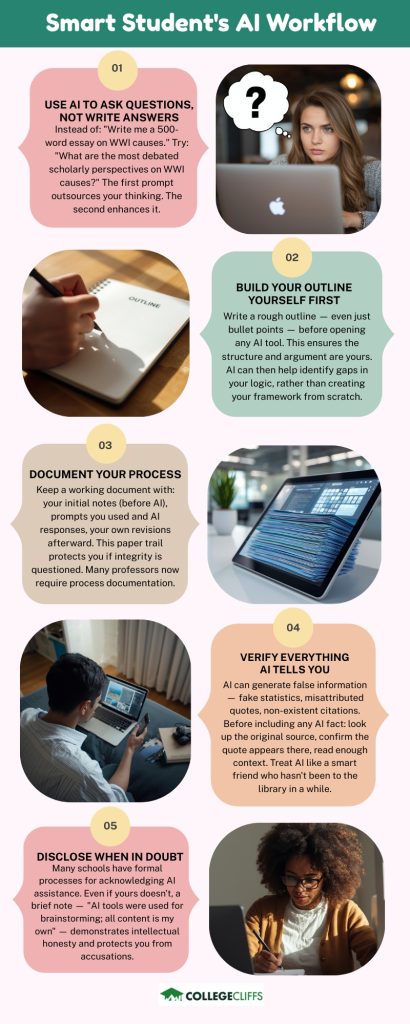
The Smart Student’s AI Workflow
Using AI well in college means treating it like a research assistant, not a ghostwriter. Here’s a practical workflow that keeps you compliant and actually improves your learning.
Step 1: Use AI to Ask Questions, Not Write Answers
Instead of: “Write me a 500-word essay on the causes of World War I.”
Try: “What are the most debated scholarly perspectives on the causes of World War I? I want to understand the disagreements before I form my own argument.”
The first prompt outsources your thinking. The second prompt enhances it.
Step 2: Build Your Outline Yourself First
Write a rough outline — even just bullet points — before you open any AI tool. An outline ensures the structure and argument are yours. AI can then help you identify gaps or weaknesses in your logic, rather than creating your framework from scratch.
Step 3: Document Your Process
Keep a working document that includes:
- Your initial notes and ideas (before AI)
- Any prompts you used and the AI’s responses
- Your own revisions and additions afterward
This paper trail protects you if your integrity is ever questioned, and many professors now ask students to submit process documentation alongside final work.
Step 4: Verify Everything AI Tells You
AI tools can and do generate false information — including fake statistics, misattributed quotes, and citations for sources that don’t exist. Before including any AI-sourced fact in your work:
- Look up the original source directly.
- Confirm the quote or statistic appears in that source.
- Read enough context to make sure it means what the AI said it means.
Treat AI like a smart friend who hasn’t been to the library in a while. Useful for direction — unreliable for facts.
Step 5: Disclose When in Doubt
Many schools now have formal processes for acknowledging AI assistance. Even if yours doesn’t, a brief note in your bibliography or process memo — “AI tools were used for brainstorming and grammar review; all content is my own” — demonstrates intellectual honesty and protects you from accusations.
How to Cite AI Use in Academic Work
If you used AI and your school or professor requires disclosure, here are the current citation formats:
APA (7th Edition)
OpenAI. (2024). ChatGPT (GPT-4) [Large language model]. https://chat.openai.com/
For in-text: (OpenAI, 2024)
MLA (9th Edition)
“Describe the causes of inflation.” ChatGPT, version GPT-4, OpenAI, 15 Mar. 2024, chat.openai.com.
Chicago (17th Edition)
OpenAI. “Response to ‘Describe the causes of inflation.'” ChatGPT. March 15, 2024. https://chat.openai.com.
Important: These formats are evolving. Always check your school library’s style guide for the most current recommendation, as AI citation standards are being updated regularly by major style organizations.
Frequently Asked Questions
Q: Can I use ChatGPT to write my college essays?
For admissions essays, this is strongly discouraged — not just because it may violate policies, but because admissions officers read thousands of essays and can identify AI-generated writing. For in-class assignments, refer to your course policy. When in doubt, don’t.
Q: Is using Grammarly considered using AI?
Most colleges do not consider grammar-checking tools like Grammarly to be a violation of academic integrity, as they edit your writing rather than create it. However, Grammarly’s “GrammarlyGO” feature, which generates full sentences and paragraphs, may fall under AI content policies. Check your syllabus.
Q: What happens if I’m accused of using AI on an assignment?
Most schools follow a formal academic integrity process. You’ll typically be notified, given an opportunity to respond, and may attend a hearing. Penalties range from a zero on the assignment to suspension or expulsion for repeat or egregious violations. Having documentation of your writing process can be your best defense.
Q: Can professors prove I used AI?
Not with certainty, using technology alone. Detection tools produce scores, not verdicts. However, professors can make a compelling case using a combination of tool output and their own observations — especially if your in-class writing doesn’t match your submitted work. Most academic integrity proceedings operate on “reasonable evidence,” not criminal standards of proof.
Q: What if my professor says I can use AI, but the school’s policy says otherwise?
The more restrictive policy applies. If your school’s honor code prohibits AI use and your professor says it’s fine, the school policy takes precedence. Protect yourself by getting your professor’s permission in writing and checking with your academic dean if there’s a conflict.
Q: Do different colleges have different AI policies?
Yes — significantly. Policies vary not just by institution but by department, professor, and even individual assignment. There is currently no national standard. This is exactly why reading your specific course syllabus before every assignment is non-negotiable.
The Bottom Line
AI tools are not going away — and most colleges aren’t asking them to. What they’re asking for is honesty, transparency, and the intellectual effort that a college education is designed to develop.
The students who navigate this era best won’t be the ones who avoided AI entirely, or the ones who used it to do everything. They’ll be the ones who understood the rules, used AI intentionally, and still did the thinking themselves.
Read your syllabus. Ask when unsure. Document your process. And when in the room during an exam or standing in front of your professor to defend your thesis, make sure those are really your ideas.